


Stock analysis, investing and fair value — all in one place
Welcome to Stock Wolfy - Your Path to Financial Freedom
Our vision is financial freedom for everyone, and our mission is to make stock analysis simple, fast and easy to understand. We've brought everything you need together, in Bulgarian, so you can make informed decisions based on real data and numbers.
The software brings financial statements, key metrics, fair value calculators and the portfolio and dividend tracker into one place. It is designed for beginners and experienced investors who want to understand the business behind a stock and track their investments.
Subscribe and start today!
Full access to the software and the StockWolfy investor community. A private chat platform for the markets, exchanging investment ideas, discussing strategies, analyses and fair value calculations. Cancel anytime.
No products available at the moment. Please try again later.
Stock Wolfy — your path to financial independence starts here. Join today!
How Stock Wolfy Helps You?
Choose the right company at the right price
Discover quality companies that match your goals and criteria.
- • Search 70,000+ stocks and ETFs — broad coverage for discovery and comparison.
- • Search with the stock screener by 100+ criteria — key financial metrics and ratios such as profitability, free cash flow, debt, valuation, dividends and more.
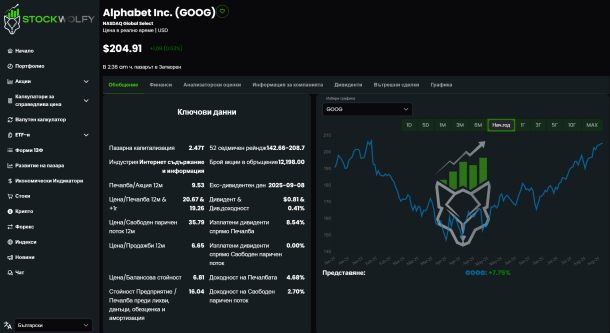
Analyze business fundamentals easily and quickly
Access over 20 years of financial statements (annual, quarterly, trailing twelve months), visualized with automatically calculated compound annual growth rates (CAGR) and key financial metrics — translated and explained in Bulgarian and English.
Compare revenue, earnings, cash flow, debt and valuation to assess a company's growth and risks.
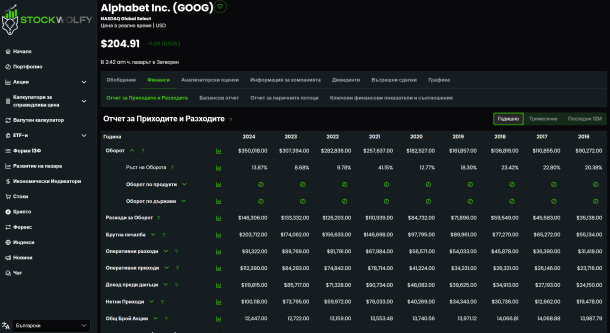
Determine the fair value
Use interactive discounted cash flow and valuation multiple calculators, add a margin of safety and determine your purchase price based on your assumptions and required rate of return.
- • 10 fair value calculators: discounted free cash flow (DFCF) and its multi-phase variant; price multiples (DCF P/FCF, P/E, P/OCF, P/B, P/TBV, P/S); EV/EBITDA and relative multiples.
- • Fair Value page: the platform selects the most suitable calculators and weights for the company's sector and industry, takes the values from the financial statements and computes the fair price — with one click.
The valuation depends on your assumptions and is not a guarantee of future returns.
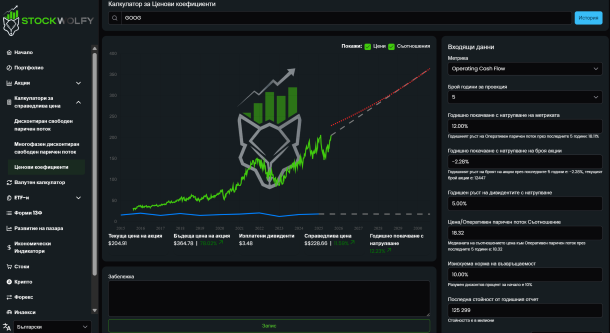
Track and improve your results
Monitor your portfolio and dividends, see forecasts of future income and analyze your performance over time.
- • Compare your portfolio's return with the S&P 500 and Nasdaq and see a full breakdown by sectors, industries and companies.
- • Detailed dividend tracker: dividend yield, received and expected dividends, year-over-year growth and forecasts of expected dividends by year, month, day and hour.
- • Dividends per company and a weighted average dividend growth rate (CAGR) for the whole portfolio and for each company separately.
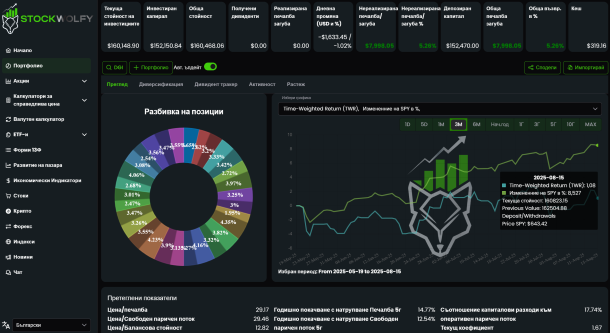
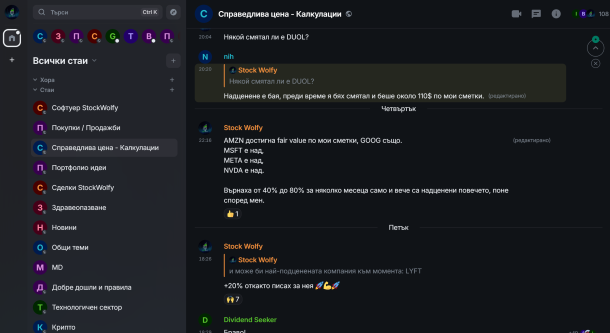
Join the private community and engage in discussions
Enter a closed investor group of like-minded people. Daily ideas, discussions, strategies and Q&A — no question goes unanswered.
- • 100+ investors exchange ideas and strategies daily, and StockWolfy is live in all channels.
- • Dedicated chat rooms: by economic sector, calculated fair values, portfolio ideas and general topics — plus rooms for real estate, ETFs, P2P platforms, news, taxes and brokers.
Learn with the fundamental analysis and stock investing course
The course is in Bulgarian, step by step, with real examples and calculations — everything you need to choose, analyze and value a company correctly.
- • 16 chapters in 4 parts — from value investing and the financial statements to calculating fair value, with a glossary of terms and a company analysis template.
- • With the monthly plan you get one part free each month for the first 4 months of membership. With the yearly plan — the full course at once, plus 2 months of free membership.
What awaits you after subscribing
Your first five steps — explained before you pay.
Create your account
Registration takes a minute — email and password. The software also works as a desktop and mobile app, installed from the browser: watch the steps →
Join the community chat
From the software's left menu, at the bottom, choose the chat icon. On first open you pick a user name and a display name, then press "Continue with StockWolfy" — without entering your credentials again: watch the setup →
Start the course
From the top-right icon in the software, open your profile: Profile > Course. 16 chapters in 4 parts — with the monthly plan you get one part each month, with the yearly plan the full course at once.
Manage your profile
From the top-right icon in the software: change your password and subscription settings — plan change, payment method and details, renewal and cancellation.
Learn while you analyze
From the bottom-left menu enable Learn Mode — a small question mark appears next to every metric and ratio in the software. Click it to learn what the term means, when and how it is used.